






LivingWords AI 0.3.0 is here — private, local desktop AI with skills that actually work for serious users
We’re excited to announce LivingWords AI 0.3.0.
LivingWords is a private, on-device desktop AI for writing, thinking, planning, and real software work. The model runs on your computer. Conversations stay on your device. No account, no subscription, no per-prompt cloud fees. You bring the machine, storage, and power; LivingWords brings a capable, private assistant powered by pretrained Gemma 4 E2B Instruct through a bundled Electron app and llama.cpp runtime.
What’s new and improved in 0.3.0
This release focuses on making the assistant more useful for real work while keeping the privacy and control model intact.
Skills that you own
- Create skills with a short description and a free-text prompt that tells the assistant when to activate and how to complete the task.
- Use the built-in skill builder in chat to clarify and refine new skills, then edit or delete them on the Skills page.
- Run a skill explicitly with
/(slash commands). - When the assistant detects a likely match on a regular request, it asks for confirmation before running it.
- Skills can reference tools with
@tool_nameso only the tools you intend are available while that skill runs. Existing approval and permission rules still apply. - Legacy workflow data is migrated cleanly into the new skills system.
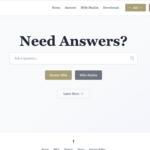
Ask the Bible
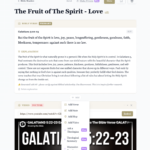
LivingWords carries a Christian persona informed by historic Trinitarian Christianity and the Bible. That perspective shapes answers on faith, theology, and ethics without forcing it into every unrelated technical or creative question.
With the new skills system and document tools you can go further:
- Create or use an Ask the Bible skill that guides the assistant to respond from Scripture, historic Christian teaching, and careful theological reasoning.
- Attach Bible text files, study notes, or folders of resources so answers can cite specific passages.
- Ask questions, explore themes, draft devotionals, or work through difficult passages while keeping everything local and private.
The model remains a general-purpose assistant. Scripture grounding and citations come from the sources you attach and the guidance you give the skill—not from any hidden corpus or fine-tuning.
Stronger agent loop and tool use
- A reusable, typed agent harness powers multi-step work with visible tool calls, structured traces, and clear activity cards in the chat.
- Explicit tool selection via
@in the composer. - Progressive tool disclosure keeps the model focused.
- Terminal commands are single-line and only run after you approve the exact command.
- Deterministic arithmetic and local date/time tools are available when needed.
Documents and project context
- Attach individual text files, code, configuration, text-based PDFs, or whole folders.
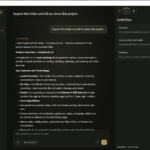
- The assistant uses visible tool calls to inspect project structure (READMEs, manifests, entry points, tests, representative source), search, and read files—with citations that open in the document viewer.
- Originals stay in place. Nothing is copied or moved unless you approve a proposed text-file edit (PDFs remain read-only).
- Clear limits and coverage notes so the assistant doesn’t pretend it reviewed everything.
Web research without an API key
- Built-in Web research skill navigates directly to DuckDuckGo’s HTML search and can read up to two promising pages before summarizing.
- Web Search and Browser tabs keep the experience contained and conversation-scoped.
- Remote content is treated as untrusted. Human verification challenges are handled by you in the tab—LivingWords never tries to bypass them.
Other notable details
- Configurable context windows: 8K, 16K (default), 32K, 64K, or 128K.
- Final answers and tool turns have clear, separate token caps.
- Fully local inference and conversation storage.
- Open source (MIT) application code.
